



Customizing "Extract Map" tool
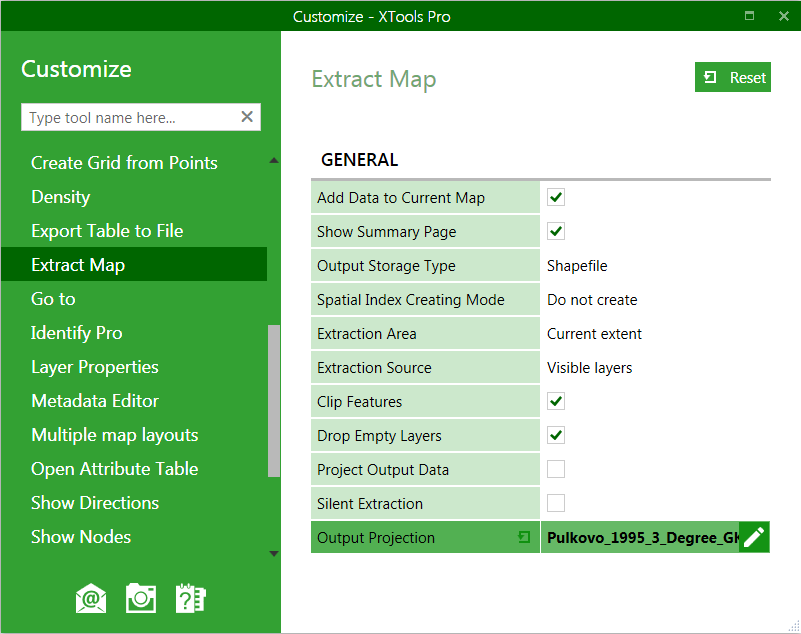
For the component "Extract Map" the following elements are customizable:
-
Add data to current map: defines the default state of this option
-
Show summary page: shows or does not show the summary page in the tool wizard
-
Output storage type: defines the default output dataset type
-
Create spatial index: defines the default state of this option
-
Extraction area: defines the default extraction area
-
Extraction source: defines the default data source for extraction
-
Clip features: defines the default state of this option for clipping/non-clipping features
-
Drop empty layers: prescribes if empty layers should be excluded from the output map
-
Project output data: defines if extracted data will be projected
-
Silent extraction: defines if extraction will be performed in a silent mode, with no user interaction required
-
Output projection: specifies default output projection
Changes are applied upon closing the Customize dialog.
---